
The most affordable way to
Automatically capture & archive website screenshots
Trusted by 500+ teams








Everything you need to archive the web
Bulk capture, automation, and a durable archive, with the controls marketers actually use.
-
Bulk screenshots
Capture thousands of URLs in a single run. CSV import, folders, and reusable projects.
-
Scheduled captures
Daily and weekly. PeekShot fires on the schedule you set and keeps every version.
-
Change monitoring
Get notified in Slack, email, or webhooks the moment a page you care about changes.
-
Full-page captures
Pixel-perfect renders, lazy-load handled, sticky elements repositioned correctly.
-
Timestamped archive
Every capture is preserved with metadata. Nothing overwritten, nothing lost.
-
API & webhooks
Kick off captures from your own systems and pipe results wherever you want.
Bulk
Bulk screenshot thousands of pages in one run.
Upload a CSV or paste a list. PeekShot fans out the captures in parallel and drops the results back into a project in minutes.
- Import CSV or paste URLs directly
- Parallel rendering with retries on flaky pages
- Zip/CSV download, or sync to Google Drive / Dropbox
Scheduled screenshots
Set a cadence. PeekShot captures on autopilot.
Pick daily, weekly, or monthly once. PeekShot runs in the background and keeps every version so you always know what a page looked like.
- Daily, weekly, or monthly. Set it once and forget it.
- Every run lands in a timestamped archive.
- Trigger an on-demand capture anytime you need one.
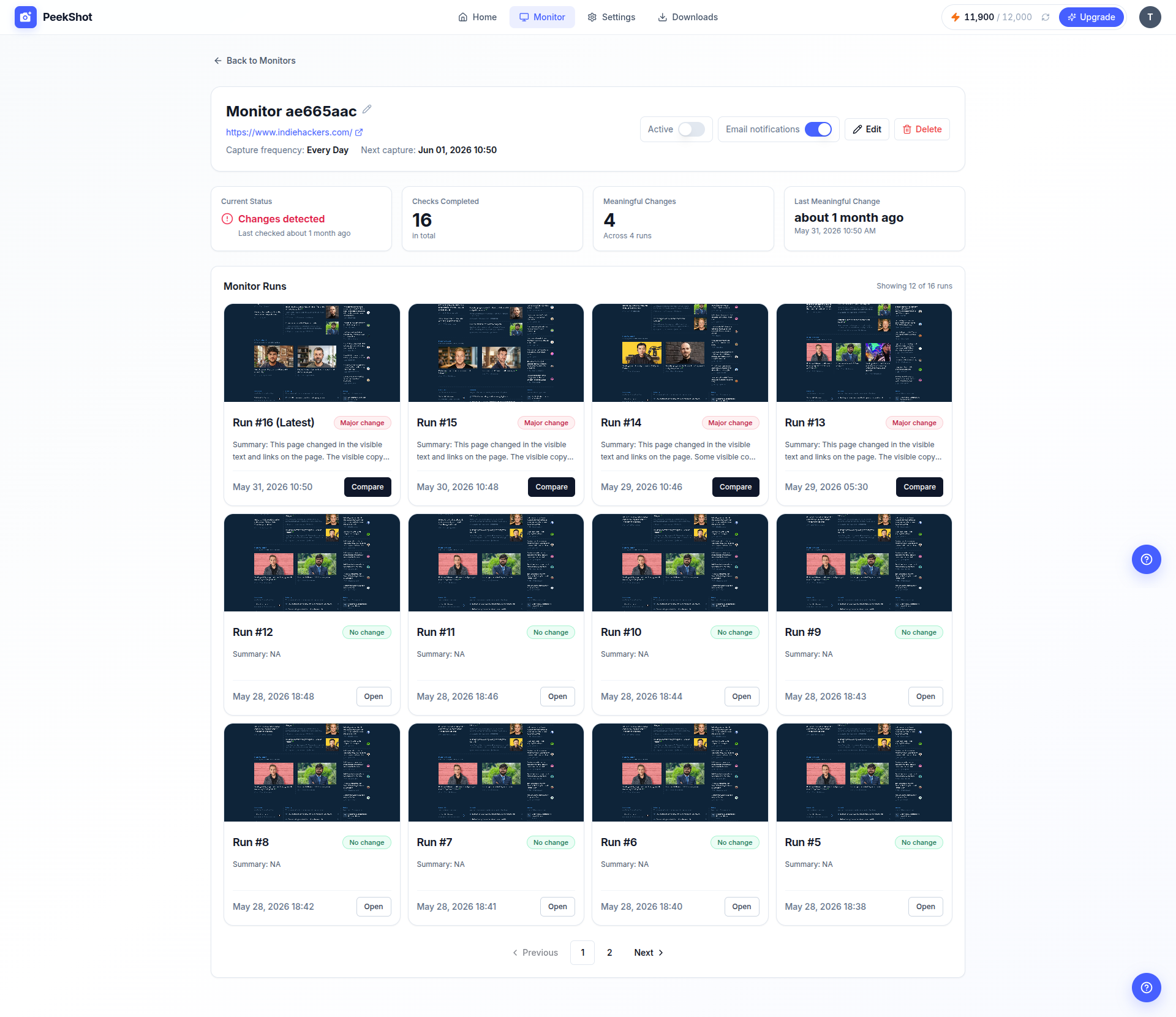
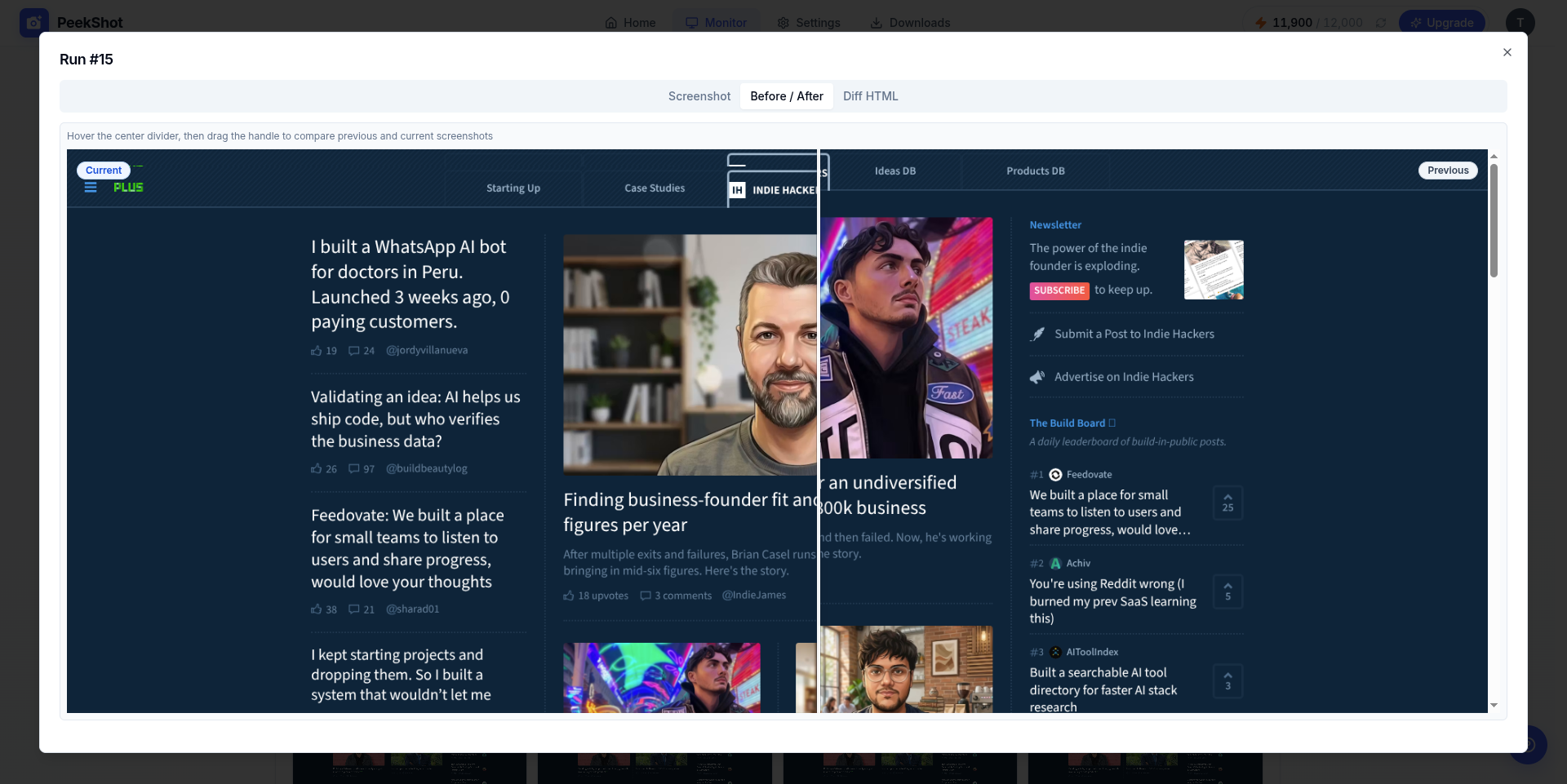
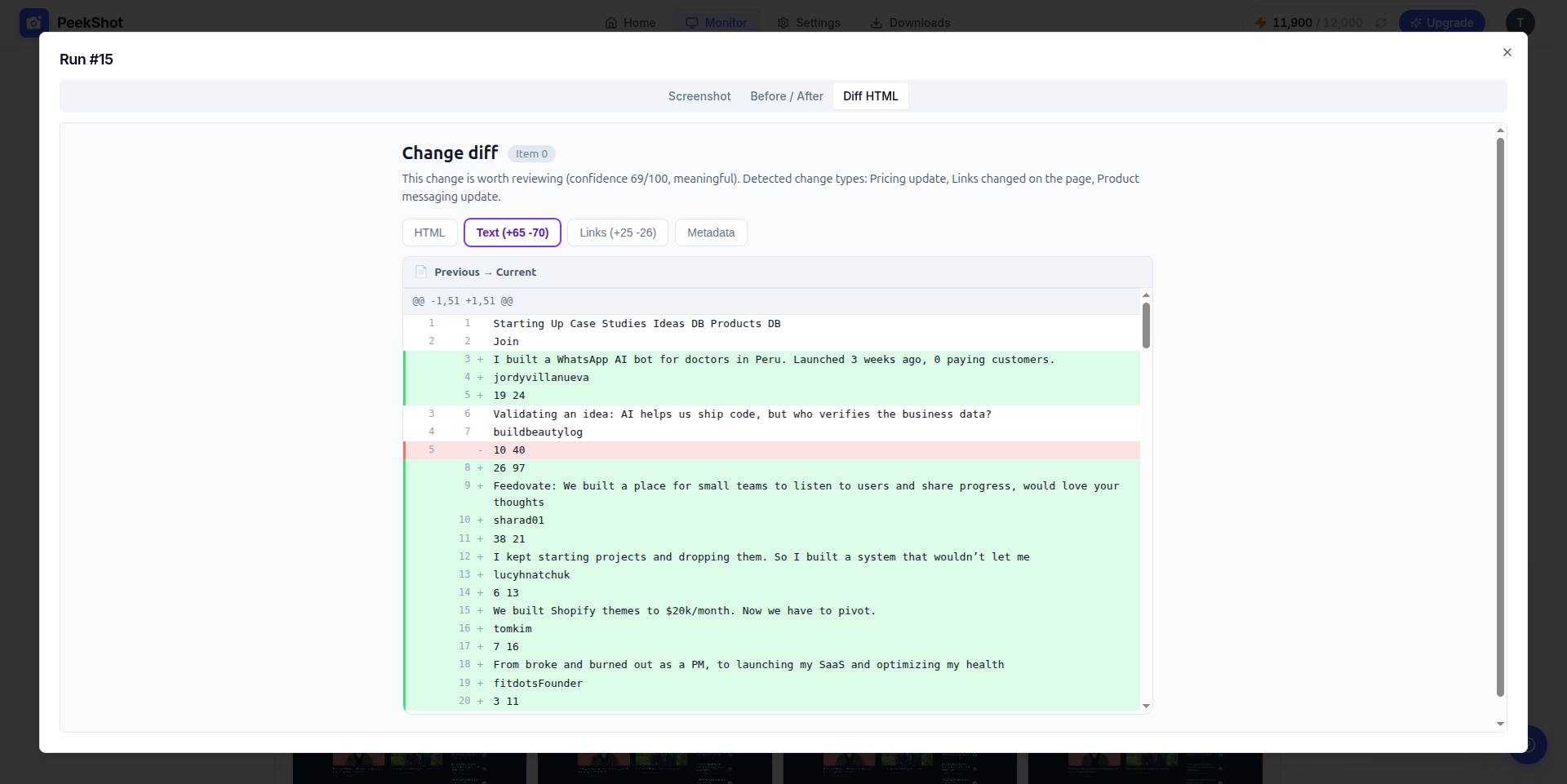
Webpage monitoring that catches every change.
Get notified when pricing, headlines, or SEO metadata shifts. Visual diffs, content diffs, and metadata tracking live in one dashboard.
-
Visual changes
Layout shifts and new sections highlighted on the capture.
-
Content changes
Exact wording added, removed, or edited, like a price update.
-
SEO metadata
Title tags, meta descriptions, and canonical URLs tracked.
Use cases for automated website screenshots
From competitive intel to campaign proof. PeekShot fits how marketers actually work.
Competition tracking
Competitors change pricing, landers, and messaging constantly. Schedule captures across their key pages and stay informed without refreshing tabs all day.
SEO tracking
Watch title tags, meta descriptions, and on-page layout shifts across your competitive set, with a visual archive you can show in any meeting.
Campaign archives
Keep a timestamped record of every campaign page before it goes offline or gets redesigned. Proof for stakeholders, agencies, and future you.
Brand & compliance
Build a pixel-perfect archive of sites you own or manage. Useful for brand heritage, ad verification, and showing what was live when.
Agency client work
Archive client sites and campaigns across every account, searchable by URL and date, and exportable when a client asks for the receipts.
E-commerce watch
Watch prices, listings, and promotions across competitor storefronts on a schedule. Spot a change the day it ships, not weeks later.
What customers say about PeekShot
Real reviews from marketers and teams capturing pages in their day-to-day work.
-
Works without a problem, easy to set things up
I just got the first tier to test and it worked each and every time I tried. Nothing felt complicated to set up. I hooked up my coding agents easily and set cron jobs for several weekly screenshots for all kinds of things.
-
Nice tool and available support
Great tool, very well configured, and everything works perfectly. Bonus points for the scheduled captures feature! The support team is responsive and attentive. Highly recommended!
-
Great tool. Practical. Many uses.
PeekShot made a task I dread (grabbing clean, consistent screenshots) much less annoying. The API is refreshingly simple: sign up, grab a key, and you can make your first call in minutes. I especially appreciated full-page and retina-quality captures and the ability to inject CSS or JavaScript to hide banners or click things before the shot. Those small controls save a surprising amount of fiddling when you automate screenshots for docs, monitoring, or quick previews.
-
Perfect integration into our workflows.
Easily configurable and simple to use! The URL-to-image conversion is very satisfying, and the code injection works perfectly to eliminate popups and other intrusive elements.
-
Very Good Tool. Came back to add more codes
This works very well after we set it up and did our testing. Thanks for making a great product!
-
One of the coolest and most straightforward tools you could imagine
Give it a URL, get a screenshot back. That's all you need to know. Simple. Elegant. Professional. Worth every penny. I love it.
For automated teams
API & webhooks
Trigger captures from your product, queue bulk jobs from a script, and send every screenshot or change alert back to the tools your team already uses.
- Start captures with a single POST request
- Receive webhooks when pages change or jobs finish
- Sync archives to internal dashboards, Drive, Dropbox, or your own storage
curl --location 'https://api.peekshot.com/api/v1/screenshots' \
  --header 'x-api-key: your-api-key' \
  --header 'Content-Type: application/json' \
  --data '{
    "project_id": "1",
    "url": "https://example.com",
    "width": "1680",
    "height": "867",
    "file_type": "jpeg",
    "retina": "true",
    "delay": "0",
    "full_page": "false",
    "disable_javascript": "false"
  }'
Questions, answered.
Can I capture the entire page, not just what's visible?
Yes. Every capture is full-page by default, covering the complete scroll length of the page.
Can I remove cookie banners automatically?
Yes. Turn on automatic popup removal and PeekShot strips cookie banners and overlays before capturing.
Can I capture a lot of pages at once?
Yes. Upload a CSV with your URLs and PeekShot captures them all in one run, one page or several thousand.
Can I organize and find captures later?
Yes. Every capture is saved with its URL and timestamp, so you can filter your archive by URL or date and return to any past version.
Can I export or download my screenshots in bulk?
Yes. Export your archive as a CSV, or download any batch of captures as a single ZIP file.
Do I need to know how to code?
No. Everything above is available from the dashboard. An API is available too, if you want to automate further.
Can PeekShot tell me when a page changes?
Yes. Turn on monitoring for any capture and get notified when the page's visual layout, content, or SEO metadata changes.
Start capturing free
Set up bulk screenshots and your web archive in minutes. No credit card required. See pricing.
Try for free100 free credits to start